
Download OneSwarm – secure private BitTorrent client
OneSwarm is a web‑based BitTorrent client that puts privacy at the forefront of peer‑to‑peer file sharing. In an era where authorities and third‑party monitoring services increasingly scrutinise P2P traffic, OneSwarm offers a novel approach: users decide exactly who can see and download their files. Whether you want to share a large video with a trusted circle of colleagues or simply keep your torrent activity hidden from prying eyes, OneSwarm’s granular permission system and browser‑driven interface give you maximum control without sacrificing the speed and reliability of traditional BitTorrent protocols.
Key Features and What Sets OneSwarm Apart
- Granular sharing permissions – public, friends‑only, or custom groups.
- Web‑based interface that runs in a browser tab, eliminating the need for a heavyweight desktop client.
- One‑click installer for fast setup on Windows, macOS, Linux and mobile browsers.
- Built‑in speed test that automatically configures optimal upload limits.
- Chat notifications in the system tray for real‑time updates on downloads and sharing status.
- Multi‑language localisation (French, Dutch, Swedish, German, Russian, Italian).
- Improved friend‑group UI for easy management of trusted peers.
- Enhanced privacy safeguards against colluding limited friends, reducing the risk of data leakage.
Why These Features Matter for Privacy‑Focused Users
Traditional BitTorrent clients broadcast every piece of a torrent to anyone who asks, creating a public ledger of who is downloading what. OneSwarm flips this model on its head. By allowing you to define “friend groups,” you can restrict the swarm to only those peers you trust. The web interface also means that no background process is constantly running on your machine, reducing the attack surface for malware that targets P2P applications. Moreover, the automatic speed‑test feature helps you stay within your ISP’s fair‑use policies, which can further protect you from throttling or legal notices.
Installation, Configuration, and First‑Time Use
Getting started with OneSwarm is intentionally straightforward, despite the sophisticated privacy model it offers. Follow these steps to have the client up and running in under five minutes:
- Download the installer: Visit the official OneSwarm website and click the Download button for your operating system. The installer is a small
.exe(Windows),.dmg(macOS), or.AppImage(Linux) file. - Run the installer: The installer performs a one‑click setup, placing the necessary files in a hidden folder and creating a shortcut that opens a new browser tab pointing to the OneSwarm web UI.
- Create an account: Upon first launch, you’ll be prompted to register with an email address and a strong password. Two‑factor authentication is optional but highly recommended for extra security.
- Configure sharing groups: Navigate to the “Friends” section and add contacts by email or public key. You can then create custom groups (e.g., “Project Team,” “Family”) and assign specific torrents to each group.
- Import torrents: OneSwarm does not include an internal torrent search engine. Instead, use any trusted torrent index site, download the
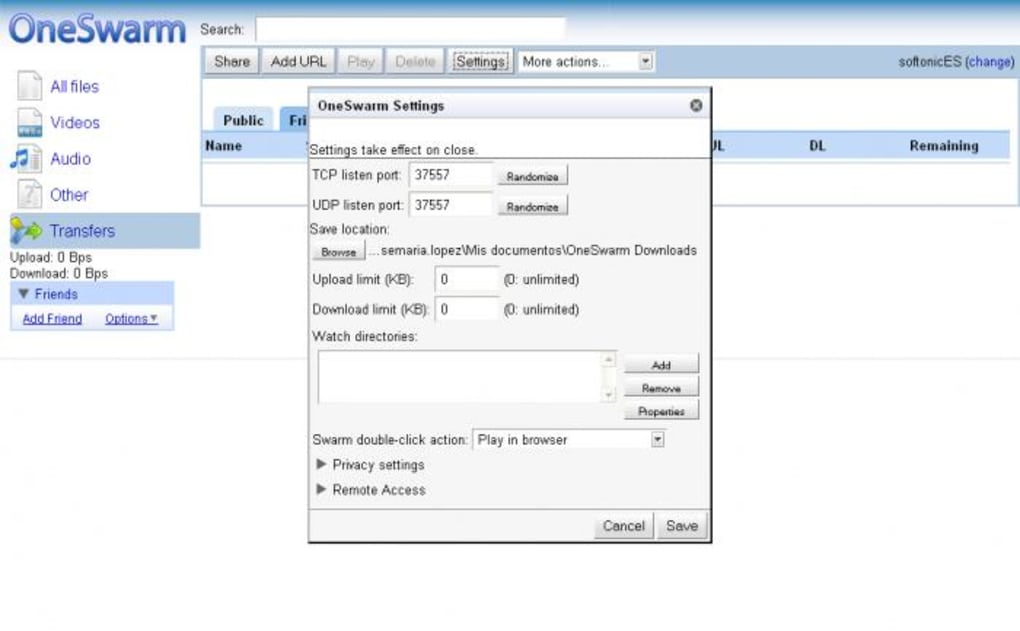
.torrentfile, and drag‑and‑drop it into the OneSwarm UI or click “Add Torrent” and browse to the file. - Adjust upload limits: Run the built‑in speed test. OneSwarm will automatically set an upload ceiling that balances performance with ISP limits.
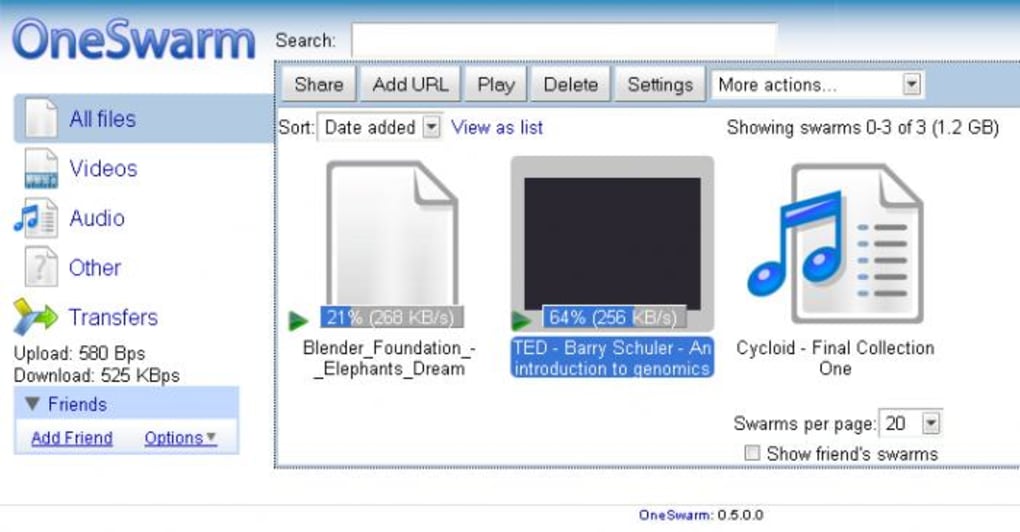
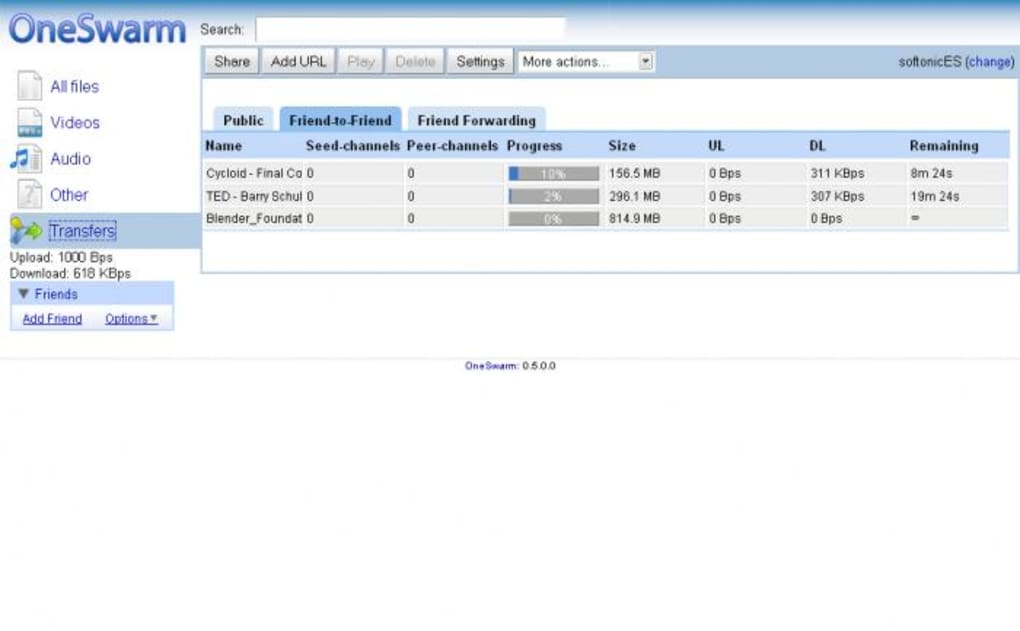
- Start downloading: Once the torrent is added, you’ll see a detailed progress bar, peer list, and a toggle to switch between public and private sharing modes for that particular file.
The web‑based design means you can access OneSwarm from any device that supports modern browsers—Chrome, Firefox, Edge, or Safari—without reinstalling the client. Your settings sync securely via encrypted cloud storage, so your friend groups and preferences travel with you.
Compatibility, Pros, Cons, and Real‑World Performance
OneSwarm is compatible with Windows 10/11, macOS 10.15+ (Catalina and later), major Linux distributions (Ubuntu, Fedora, Debian) and can be accessed through any recent desktop or mobile browser that supports WebAssembly. While there is no native Android or iOS app, the responsive web interface works on tablets and phones, allowing you to monitor downloads on the go.
Pros
- Unparalleled privacy controls with per‑torrent sharing permissions.
- Lightweight web interface eliminates background processes.
- Automatic upload‑rate optimisation via built‑in speed test.
- Multi‑language support for non‑English speakers.
- Secure cloud sync of settings and friend groups.
Cons
- No integrated torrent search—users must source .torrent files elsewhere.
- Initial learning curve for users unfamiliar with permission‑based sharing.
- Lack of a dedicated mobile app may limit offline management.
- Reliance on a stable internet connection for the web UI; poor connectivity can cause UI lag.
- Free version includes occasional telemetry; premium tier removes all data collection.
Frequently Asked Questions (FAQ)
Is OneSwarm truly free to use?
OneSwarm offers a free tier with core privacy features. The free version includes optional telemetry for product improvement. A paid “Pro” subscription removes telemetry, adds advanced analytics, and provides priority support.
Can I run OneSwarm on a headless server?
Yes. OneSwarm’s backend can be installed on a Linux server and accessed via any browser on the network. The web UI works perfectly on headless setups, making it suitable for remote teams.
How does OneSwarm protect my IP address from public peers?
When you set a torrent to “friends‑only,” OneSwarm only advertises the file to peers in your approved groups. Public peers never receive your IP for that torrent, effectively shielding you from mass surveillance.
Does OneSwarm support magnet links?
Yes. You can paste a magnet URI directly into the “Add Torrent” field, and OneSwarm will resolve it and apply your selected sharing preferences before the download begins.
What encryption does OneSwarm use for data in transit?
All communication between the client, the OneSwarm cloud sync service, and peers uses TLS 1.3 with forward‑secrecy. Individual torrent pieces are also encrypted with AES‑256 before being uploaded to the swarm.
Final Verdict and Call to Action
For users who value privacy as much as speed, OneSwarm bridges the gap between traditional BitTorrent clients and modern, security‑first networking tools. Its permission‑driven architecture gives you the freedom to share openly or keep everything behind a trusted circle, all while operating from a lightweight web interface that works on any modern device. Although the absence of an integrated search engine and the need for a brief onboarding period may deter casual users, power users, developers, and anyone handling sensitive files will find OneSwarm’s feature set compelling.
Ready to take control of your P2P activity? Download OneSwarm now and experience a more private, secure way to share and download files.
OneSwarm delivers a refreshing take on torrent privacy. The web UI is sleek, the friend‑group controls are intuitive, and the automatic speed test saves users from manual tweaking. While the learning curve is a bit steep for beginners, the payoff in security is well worth the effort.
Pros
- Granular sharing permissions
- Lightweight browser‑based client
- Automatic upload‑rate optimization
Cons
- No built‑in torrent search
- Initial setup may feel complex







